Private · On-device · No accounts
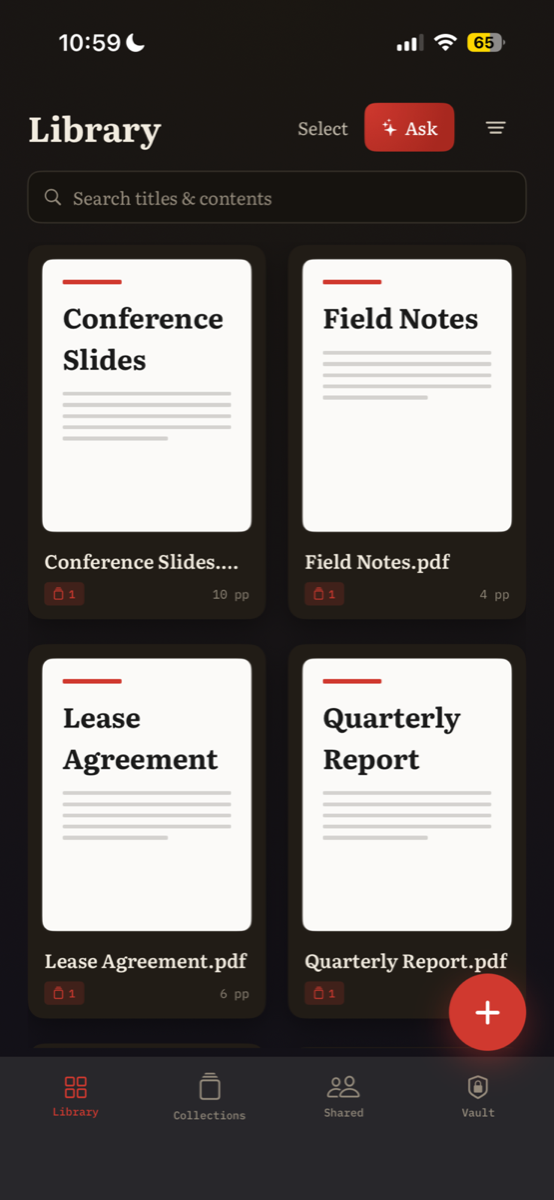
Every PDF, beautifully in order.
Read, edit, sign, and organize your documents on iPhone, iPad, and Mac. Nothing leaves your device.
Coming to the App Store
See features →
100% on-device: your files never touch a server. “Ask your library” needs Apple Intelligence; every other feature works without it.
What's inside
A whole document studio in your pocket.
Edit the real page
Tap any text block or image and change it in place — or find and replace text across the document — keeping the page vector and searchable rather than flattening it into a copy.
Organize by hand
Drag to reorder, rotate, and drop in pages from another PDF to merge documents together.
Sign & redact
Draw or cryptographically sign a document — with a trusted timestamp — and permanently erase what's private instead of just covering it with a black box.
Ask your library
On-device Apple Intelligence answers questions and cites the exact pages.
Scan to PDF
Capture a page with edge detection and automatic text recognition.
Find anything
Search titles and full document contents at once, with results that jump straight to the page.
Available soon
Get Colophon for iOS & Mac.
Be first to put every document in order, with complete data sovereignty, the moment it's available.
Coming to the App StoreScan to download